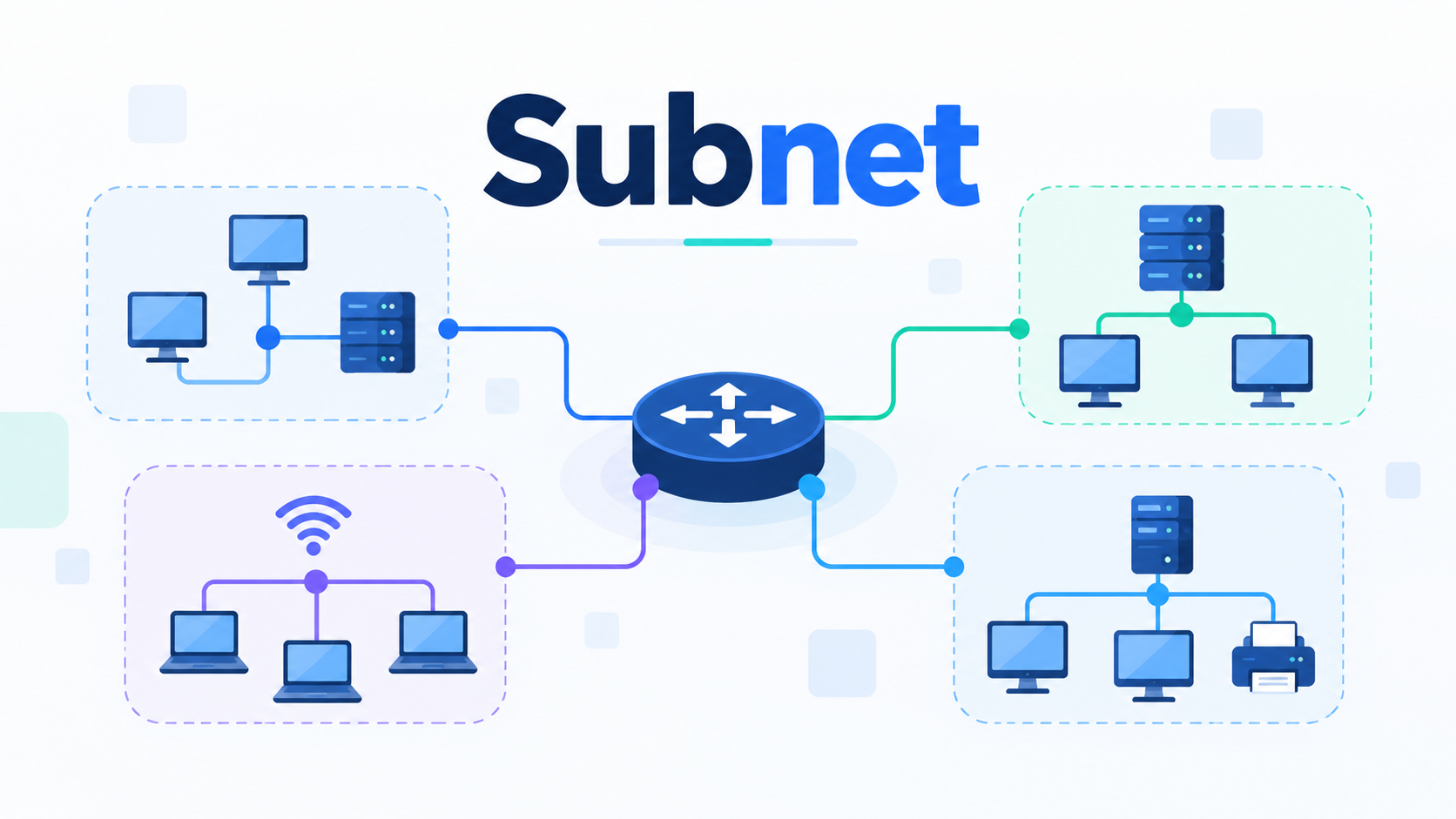
A subnet is a term you may come across when learning about computer networks, IP addresses, or internet connections. Although it sounds technical, the concept is surprisingly simple. A subnet is a smaller section of a larger network that helps organize connected devices and manage how they communicate.
Whether you’re connecting devices at home or managing a large company network, subnets help keep network traffic organized and make IP address management more efficient.
In this guide, we’ll explain more about it, how subnetting works, and why it matters, using simple examples that are easy to follow.
What Is a Subnet?
A subnet, short for subnetwork, is a smaller network created within a larger computer network.
Think of a large office building with several departments. Instead of placing every employee in one enormous room, the building separates people into different offices. Each department has its own space, making organization and communication easier.
A subnet works in a similar way. It divides a large network into smaller, manageable groups of devices.
For example, a company might organize its network into separate subnets for:
- Employees’ computers
- Guest Wi-Fi connections
- Printers and office equipment
- Servers and internal applications
Each subnet uses its own range of IP addresses. This makes it easier for network administrators to organize devices, control communication, and manage network resources.
How Does a Subnet Work?
To understand how subnets work, you first need to understand IP addresses.
Every device communicating over an IP network uses an IP address. This address helps identify where information should be sent.
An IPv4 address looks something like this:
192.168.1.25
An IP address contains two logical parts: a network portion and a host portion. The network portion identifies the network, while the host portion identifies an address within that network.
A subnet defines where one portion ends and the other begins.
When devices communicate, their network settings help determine whether the destination is on the same local subnet or whether traffic should go through a router.
If two devices belong to the same local subnet, they can generally communicate directly at the network level, provided the network configuration and security policies allow it.
If they belong to different subnets, communication typically requires a router or another device capable of forwarding traffic between networks.
This structure helps networks direct data to the appropriate destination.
What Is a Subnet Mask?
A subnet mask is a value that tells a device which part of an IPv4 address identifies the network and which part identifies the host.
For example, consider this configuration:
- IP address: 192.168.1.25
- Subnet mask: 255.255.255.0
- Network address: 192.168.1.0
In this example, the first 24 bits identify the network, while the remaining 8 bits identify addresses within that subnet.
The subnet mask can also be expressed using CIDR notation:
192.168.1.0/24
The /24 indicates that 24 bits belong to the network portion.
A subnet mask might seem confusing initially, but its job is straightforward: it helps devices understand which IP addresses belong to the same subnet.
What Is Subnetting?
Subnetting is the process of dividing a larger IP network into smaller subnetworks.
For example, imagine a company has a network containing 200 devices. Instead of placing every device in one subnet, the network administrator could create several smaller networks for different teams or purposes.
This approach makes network management more flexible.
Subnetting also allows administrators to allocate IP address ranges based on actual requirements rather than assigning unnecessarily large address blocks to every department.
However, creating smaller subnets requires planning. Each must have enough addresses for its devices, and routers must be configured to handle communication between them.
Subnetting Example: How IP Addresses Are Divided
Let’s look at a simple IPv4 example.
Suppose you have the network:
192.168.1.0/24
This network contains 256 total IPv4 addresses.
You decide to divide it into two equal subnets.
| Subnet | Network Address | Usable Host Addresses |
| Subnet 1 | 192.168.1.0/25 | 126 |
| Subnet 2 | 192.168.1.128/25 | 126 |
Each /25 subnet contains 128 total addresses. In a conventional IPv4 subnet, one address identifies the network, and another serves as the broadcast address, leaving 126 usable host addresses.
Now you have two smaller networks instead of one larger network.
For example, the first subnet could support employee computers, while the second could serve guest devices.
A router can connect these subnets when necessary, while firewall rules can control which devices are allowed to communicate.
Why Is Subnetting Important?
Subnetting provides several advantages for home, business, and enterprise networks.
1. Better Network Organization
Subnets allow administrators to group devices based on department, function, or location.
For example, a school might separate student computers, administrative devices, and classroom equipment into different subnets.
This makes the network easier to manage.
2. More Efficient Network Traffic
Subnetting creates smaller broadcast domains when implemented with appropriate network segmentation.
This limits certain types of local network traffic to specific groups of devices instead of sending broadcasts throughout one large network.
As a result, subnetting can improve efficiency, particularly in larger environments.
3. Improved Network Security
Separating devices into different subnets makes it easier to apply security policies between groups.
For example, administrators can restrict guest network access to internal business systems.
However, subnetting alone does not provide security. Firewalls, access control rules, and proper network configuration are still necessary.
4. Easier Troubleshooting
When a network experiences problems, smaller subnets can make it easier to identify where an issue originates.
Administrators can examine a specific network segment rather than investigating every connected device.
This becomes especially useful when diagnosing routing problems, incorrect IP configurations, or connectivity failures.
What Is the Difference Between a Subnet and a Network?
A network is a collection of connected devices that communicate and share resources.
A subnet is a logical subdivision of an IP network, defined by an address range and prefix length.
For example, a company may operate one overall network infrastructure containing multiple subnets for its departments.
A subnet is still an IP network in its own right. The distinction is mainly about how a larger address space is divided and organized.
How Are Subnets Related to DNS?
Subnets and DNS perform different functions, but both are important for network communication.
A subnet organizes IP addresses into logical network ranges. DNS, or the Domain Name System, helps devices find the IP addresses associated with domain names.
For example, when you enter a website address into your browser, your device may contact a DNS resolver to obtain the website’s IP address.
Once the device knows the destination IP address, its network configuration and routing rules help determine where to send the traffic.
Subnets can also affect DNS connectivity. For example, devices on one subnet may need to contact a DNS server located on another subnet. If routing rules or firewall settings block that communication, DNS queries may fail.
Problems like these can sometimes appear to be DNS failures even when the DNS server itself is functioning correctly. DNS troubleshooting can help you investigate common DNS and connectivity problems.
Conclusion
A subnet is a smaller section of an IP network that helps organize devices, manage addresses, and control communication between different parts of a network.
Subnetting allows administrators to divide larger networks into more manageable sections, while subnet masks define which addresses belong to each subnet.
Although subnetting may initially seem complicated, the basic idea is simple: dividing a large network into smaller groups makes it easier to organize, manage, and troubleshoot.

Hi, I’m Bella, a technology enthusiast who enjoys making complex tech topics clear, practical, and easy to understand. Outside of writing, I love trail running, biking, traveling, and photography.